"""
author:少校
create Time:2025/2/27 14:14
越努力越幸运
"""
#导入图标类
from pyecharts.charts import Bar
#导入图标配置类
from pyecharts import options

#1.创建柱状图对象
bar = Bar()
#2.添加数据
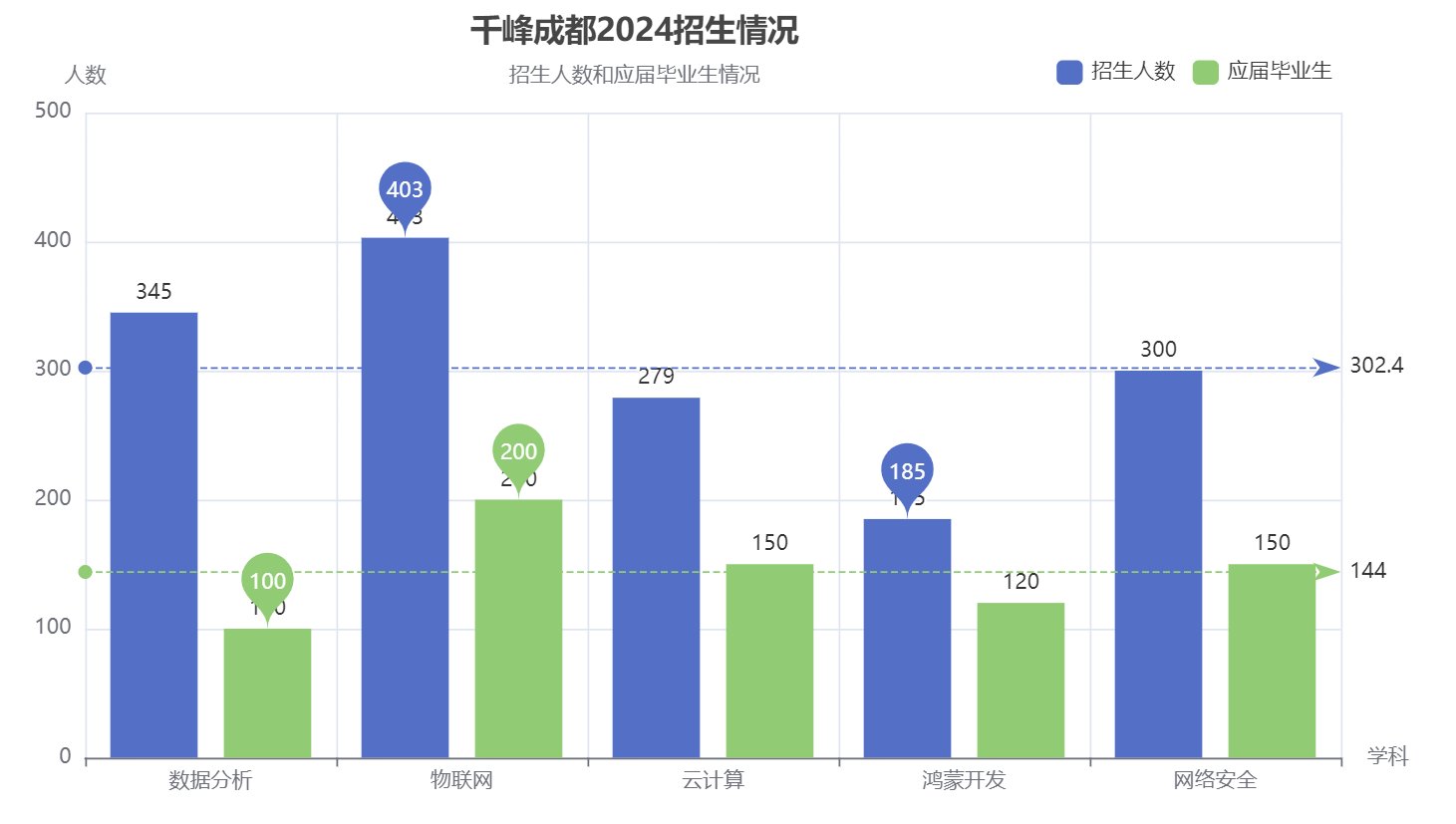
bar.add_xaxis(["数据分析","物联网","云计算","鸿蒙开发","网络安全"])
bar.add_yaxis("招生人数",[345,403,279,185,300])#,color="red",bar_width="50")
bar.add_yaxis("应届毕业生",[100,200,150,120,150])#,color="#d3d3d3",bar_width="50")
#3.添加配置
#1)全局配置
bar.set_global_opts(
    #设置标题
    title_opts=options.TitleOpts(
        title="千峰成都2024招生情况",          #主标题
        title_link="https://0246.net",      #主标题URL
        subtitle="招生人数和应届毕业生情况",    #副标题
        subtitle_link="https://0246.net",   #副标题URL
        text_align="center",                 #主标题和副标题的对齐方式:left,right,center
        pos_left="400",                     #设置标题位置:pos_left,post_right,pos_top,pos_bottom
    ),
    #设置图例
    legend_opts=options.LegendOpts(
        is_show=True,                      #是否显示
        pos_right=90,                       #设置图例位置
        pos_top=25,
        item_width=15,                      #设置图标宽度
    ),
    #设置X轴
    xaxis_opts=options.AxisOpts(
        name="学科"
    ),
    #设置Y轴
    yaxis_opts=options.AxisOpts(
        name="人数"
    ),
)
#2)系列设置
bar.set_series_opts(
    #设置标签
    label_opts=options.LabelOpts(
        is_show=True,
        position="top",      #top/left/right/bottom
        #color=""            #设置颜色、英文单词、16进制颜色、rgb都可以
    ),
    #标记点(最大值、最小值)
    markpoint_opts=options.MarkPointOpts(
        data=[
            #type:#max#min
            options.MarkPointItem("最大值","max"),
            options.MarkPointItem("最小值","min")
        ]
    ),
    #平均值标记线
    markline_opts=options.MarkLineOpts(
        data=[
            #type max min average(平均值)
            options.MarkLineItem("平均值","average")
        ]
    )
)
#3) 数据配置


#4.制图
bar.render("charts/01柱状图.html")